

Data Replication Software
Turn Insights into Impact,
with Seamless Data Delivery
Equip your decision makers with timely data – anywhere.






Deliver Timely Data Anywhere with Syniti Replicate
Real-time integrated data is essential for enterprises to stay competitive, but managing large-scale data can be a challenge. Syniti Replicate is here to make it simpler.
Deliver relevant data continuously, wherever your business needs it.
Our data replication software integrates data across disparate databases, warehouses, and big data platforms with minimal impact to your business-critical systems. Syniti Replicate handles source and target data from virtually anywhere in the cloud or on-premises, including relational databases and message queues.
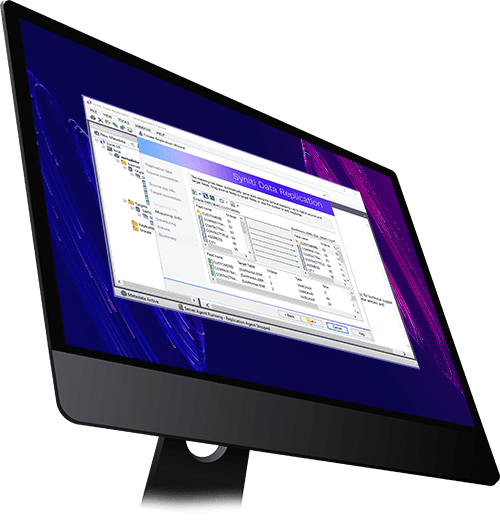
Up-to-date, accurate data synchronized in your own systems
Syniti Replicate with Change Data Capture (CDC) is the solution of choice for companies looking to guarantee access to up-to-date data, enterprise-wide.
Enable business analytics
Respond to market changes as they happen by empowering your decision-makers with accurate, real-time data.
Say goodbye to data silos
Replicate, unify, and distribute data across various applications and databases, on-premises and in cloud, for enterprise-wide data availability.
Stream data to cloud
Seamlessly move data your preferred cloud solution (Google, AWS, Microsoft Azure, SAP Cloud, and more) without impacting on-prem performance.
Accelerate test data management
CDC enables the rapid and up-to-date provisioning of test environments with realistic data.
Businesses worldwide rely on Syniti Data Replication (SDR)
Available as a stand-alone solution, a cloud-based offering from Amazon Web Services (AWS) Marketplace, or included in your Syniti Knowledge Platform subscription, Syniti Replicate can tackle your most important integrations and Change Data Capture (CDC) projects in minutes.
Syniti Replicate has been providing fresh data to clients using more than 50 data platforms for over 25 years.
Oracle
MS SQL Server
IBM Db2
MySQL
PostgreSQL
Informix
SAP HANA
SAP ASE
Microsoft Azure
Google Cloud
Amazon AWS
Amazon RDS
Amazon Aurora
Amazon S3
Hadoop
Kafka
Snowflake
Banco BISCA Automated Data Integration Improves CX, Trust in Data
Syniti helps us move our data efficiently and reliably across multiple corporate databases, which allows our business intelligence, analytical and data storage systems to be 100% integrated in an easy, clean and reliable way. We would recommend this product to anyone who wants a fast and easy data integration solution.

You can't make superior decisions today with yesterday's data.
Learn more about how Syniti helps ignite growth with trusted data